Sydney 4K Wallpaper & Frame TV Art
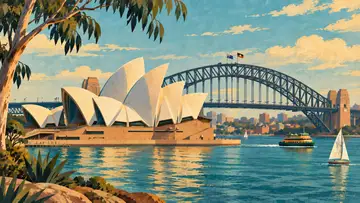
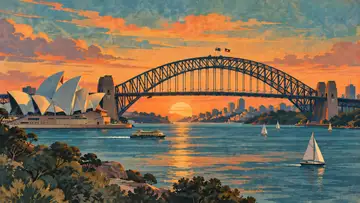
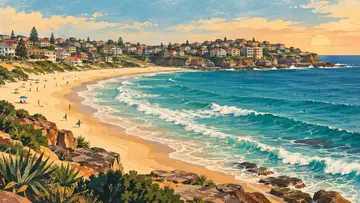
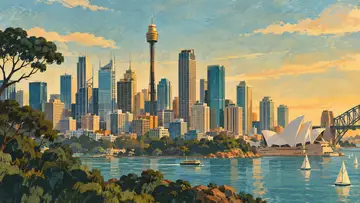
Sydney 4K wallpaper collection for Frame TV and desktop: a six-piece set of mid-century travel-poster designs featuring the Opera House, Harbour Bridge, Bondi Beach, and more, in a warm, muted palette. Delivered in 4K (3840×2160) for Samsung Frame TV art, desktop, or laptop wallpaper.
Download the BundleThe collection
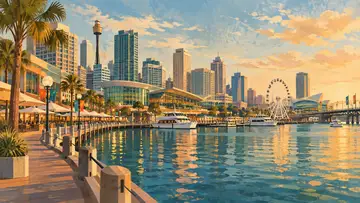

About Sydney, Australia
Sydney is the capital of New South Wales and the largest city in Australia, wrapped around the harbor that gives the city its nickname, the Harbour City. Its skyline is anchored by two of the most recognizable structures in the world, the sail-like Sydney Opera House and the steel arch of the Harbour Bridge, set against sandstone coastline and beaches like Bondi.
This collection renders the Opera House, Harbour Bridge, Bondi Beach, and Darling Harbour in a soft gouache texture and warm, muted travel-poster palette rather than a straight photograph, a quieter, more atmospheric alternative to typical Sydney skyline photography for a Frame TV or desktop background.
What's included
- 6 × PNG files, 3840×2160px (4K UHD), 16:9 aspect ratio
- Mid-century travel-poster style, gouache texture
- Ready for Samsung, TCL, LG, Hisense, and Amazon art-mode TVs, desktop wallpaper, and laptop backgrounds
- Instant digital download — no physical item shipped
More Cities


Frequently asked questions
What is Frame TV art?
Frame TV art is digital artwork sized and formatted to display on Samsung's Frame TV in Art Mode, turning the screen into a piece of wall art when you're not watching. These wallpapers are delivered at 3840x2160 (4K, 16:9), Frame TV's native resolution.
Does this work on TCL, LG, Hisense, or Amazon art-mode TVs?
Yes. The 3840x2160 (4K, 16:9) files here match the native art-mode resolution of Samsung The Frame, TCL NXTFRAME, LG Gallery TV, Hisense CanvasTV, and Amazon Ember Artline, so the same download works across all of them without cropping. See the Frame TV guide for brand-specific setup.
How do I set this as my desktop wallpaper?
After downloading, right-click the image file and choose "Set as desktop background" (Windows) or set it via System Settings > Wallpaper (Mac). The 16:9 aspect ratio fits most widescreen monitors and laptops without cropping.
What's included in the Sydney, Australia bundle?
The Sydney, Australia bundle includes 6 individual 4K wallpapers (3840x2160, 16:9, PNG format), each themed around a different landmark or scene in Sydney.